LSM Video · Local Services Ads

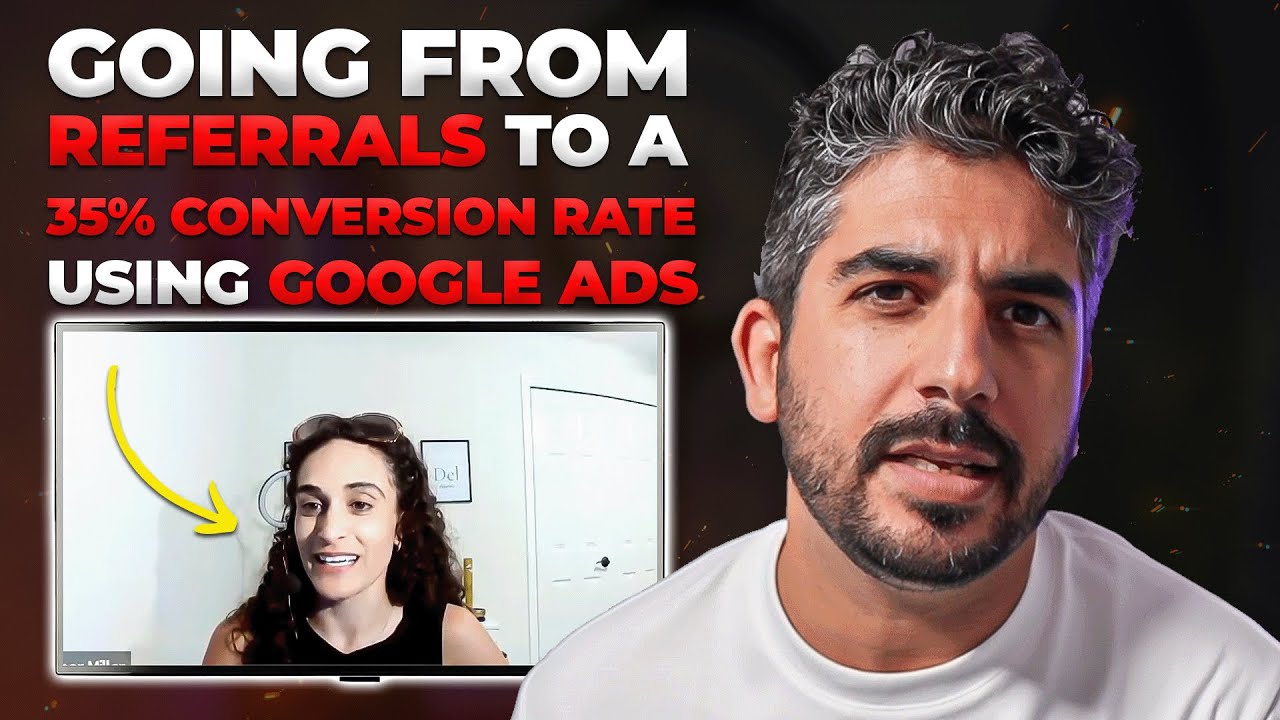
Why Your LSA Calls Dropped (It’s Not Your Budget), Here’s the Free Fix

  • Google is watching how you handle the leads you already get, not just how much you spend
  • Leads sitting in new or active status for days read as a slow, unresponsive business
  • The result: same budget, fewer calls, with zero warning
  • The fix costs nothing: a weekly leads-tab cleanup, book the real jobs, decline the junk
  • One habit that can shift your call volume without touching your bid or budget
See the free fix →

Watch the full video, then read the breakdown below.

Your LSA calls slowed down, and your first instinct was probably the same as every contractor’s: raise the budget. Bump the bid. Feed Google more money and wait for the phone to ring again.

Hold on. Because in a lot of these cases, the budget was never the problem.

Most contractors think Local Services Ads performance is a spending game. Spend more, get more calls. Simple math. And that thinking is exactly what’s costing you jobs, because while you’re staring at your budget, Google is staring at something else entirely: how you handle the leads you already get.

The Budget Myth That’s Costing You Jobs

The “spend more, get more” logic makes sense on paper. Paid ads have always rewarded bigger budgets with more visibility, so it’s natural to assume LSA works the same way.

But LSA isn’t a vending machine. Google isn’t just selling you placement, it’s staking its own reputation on every lead it sends. When a homeowner finds you through Google and picks up the phone, Google needs that interaction to go well. It needs the call handled, the job booked, the customer taken care of.

So Google pays close attention to the signals that tell it whether you’re that kind of business. And one of the loudest signals is sitting right inside your own dashboard, quietly working against you.

Google Is Watching Your Leads Tab

The signal you’re sending without knowing it

Here’s what happens inside most LSA accounts. Leads come in. Some get handled, some get quoted, some turn out to be junk. But the status inside the dashboard? It never changes. Leads sit in new or active status for days, never marked as booked, never declined.

You’re not ignoring anyone on purpose. You’re on roofs, under houses, in crawl spaces. Updating a dashboard is the last thing on your mind. But Google doesn’t see busy. Google sees data. And every lead that sits untouched reads the same way: this is a slow, unresponsive business.

What “unresponsive” actually costs you

Once Google decides that’s what you are, the punishment is quiet. There’s no warning email. No red flag in the account. Google just starts sending you fewer and fewer jobs.

Same budget. Fewer calls. And you’re left staring at the numbers with no idea what happened.

Same budget. Fewer calls. No warning, no explanation, Google just quietly routes jobs to businesses that look more responsive than you.

It’s Usually Not Your Bid or Your Reviews

When call volume drops, owners run through the same checklist. Did a competitor outbid me? Did a bad review tank my ranking? Did Google change something on me?

Sometimes, sure. But a lot of the time, this isn’t about your bid or your reviews at all. Sometimes it’s just leads rotting in your dashboard, weeks of untouched “new” and “active” statuses telling Google you’ve checked out.

That’s the frustrating part. You can have strong reviews, a competitive bid, and a healthy budget, and still watch your calls dry up because of a dashboard habit that takes almost no effort to fix.

The Free Fix: A Weekly Lead Cleanup

Here’s the good news. The fix costs you nothing. No budget increase. No new software. No retainer.

Once a week, open the leads tab. That’s the whole system. Here’s how to run it:

1. Mark real jobs as booked or completed

Every lead that turned into actual work needs to be marked. Landed the job? Mark it booked. Finished the work? Mark it completed. This is the clearest signal you can send: the leads Google sends me turn into real jobs. That’s exactly the kind of business Google wants to send more leads to.

2. Decline the junk

Wrong numbers, spam, tire-kickers, jobs outside your scope, decline them. Don’t let them sit. A pile of untouched leads drags down your responsiveness signal whether those leads were good or garbage. Declining isn’t losing the lead. It’s cleaning the record.

3. Make it a non-negotiable weekly habit

This isn’t a one-time cleanup. The responsiveness signal is ongoing, which means the habit has to be ongoing. Put it on the calendar, same time every week, no exceptions. The leads tab should never have anything rotting in it by the time you’re done.

The weekly habit: open your LSA leads tab, mark every real job as booked or completed, and decline the junk. That’s it, one habit that can shift how many calls you get without touching your budget at all.

The Bigger Picture: Operations Is Marketing Now

Zoom out for a second, because this is bigger than one dashboard.

This is the part of lead generation for local service businesses that never makes it into the pitch deck. Any home service marketing agency will happily talk to you about spend, bids, and budgets, because that’s what they bill on. But the unsexy operational stuff, like whether your team updates lead statuses, is quietly deciding how hard your budget works.

At Local Service Mastery, this is exactly the kind of lever we hammer on: fix the free stuff first, then scale the paid stuff. A weekly lead cleanup costs nothing and can move call volume on its own. That’s the highest-return marketing task you’ll do all week.

And if you’re an LSM client, you don’t even do that part yourself. This is one of the things our LSM AI handles for you automatically: it watches your LSA leads tab, keeps every status current, and clears the junk, week after week. Your responsiveness signal stays clean without you ever opening the dashboard.

And if you want to know how the rest of your marketing is actually performing, not guessing, knowing, we built a free audit tool for that. It checks your Google Ads, your SEO, your local SEO, all of it. Takes about 30 seconds, and the results land straight in your email.


$0what the fix costs
1x / weekthe lead cleanup habit
30 secfree marketing audit
Real owners · Real results

Don't take my word for it.

See it in action

How LSM AI Works

Still got questions?

Let's find the right fit for you.

Answer a few quick questions about your business. If it's a fit, we'll get you on a call with me. If not, I'll point you to what actually makes sense for where you're at.

— Lior

Free · Real Google data · 60 seconds

How many calls can your market get?

Real numbers — pulled straight from Google Ads. Not an agency pitch. 🎯

$ /mo

No credit card  ·  No commitment  ·  We verify your details before showing results

The honest truth

Agency vs. owning it.

The agency model
  • $2,000–$5,000/month in fees just to manage your account
  • They own your Google Ads account — you start from zero when you leave
  • Random results. No explanation of why.
  • Zero visibility into what they're actually doing
The LSM way
  • Costs less than one missed job
  • Your Google Ads account. Your campaigns. Your data — always.
  • AI manages it daily. Full transparency — you see every decision.
  • Cancel anytime. Your campaigns stay yours forever.
The LSM way

How it works.

The opposite of an agency. We build it inside your accounts. You own it all.

1

Pick your coverage

One city or your whole service area. The free audit tells you exactly what to expect in your market.

2

Your LSM AI builds everything

Your AI marketing manager builds your Google Ads, call tracking, fraud protection, and landing page — inside your accounts. You approve before a single dollar is spent.

3

Your phone starts ringing

Most clients are live within 48 hours. Your AI optimizes bids and keywords daily — results compound over time.

Google Ads campaign (your account) Call tracking setup Competitor click blocking High-converting landing page Daily bid & keyword optimization Monthly performance report You own every account, always Personal LSM AI manager 24/7 Q&A in Lior's voice 7-day money-back guarantee
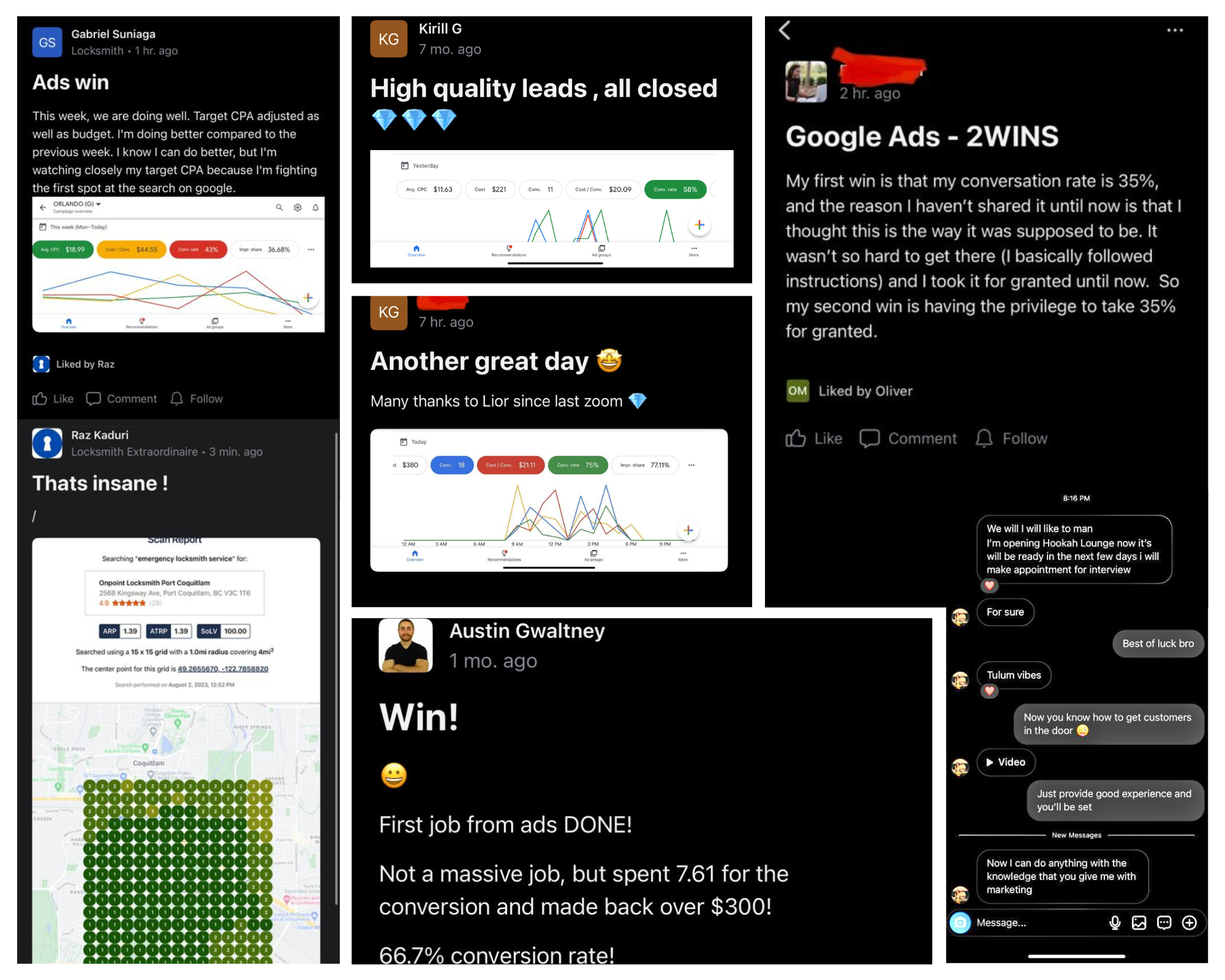
Real client wins and results using LSM
Included in every plan

Your own AI account manager.

Built on 8,600+ real LSM coaching sessions. Trained in Lior's exact voice.

⚡ Powered by LSM AI · Trained on 8,600+ real LSM coaching sessions
🔐

It already knows everything about you

The moment you sign up, your LSM AI knows your plan, your city, your service. No setup call. No briefing a stranger.

🏗️

Builds your entire setup — while you watch

Google Ads. Call tracking. Fraud protection. Your landing page. Built inside your accounts, step by step.

Nothing goes live without your sign-off

Before a single dollar is spent, your AI walks you through everything it built. You approve. Then it goes live.

💬

On call 24/7 — in Lior's exact voice

Ask it anything, anytime. 8,600+ real LSM coaching answers. Available instantly.

claude
Membership verified — Growth plan · Dallas TX
Client profile loaded — HVAC, 3 cities
Building your Google Ads campaign…
Campaign created (PAUSED for review)
47 keywords added across 3 ad groups
3 responsive ads created
Setting up call tracking…
4 tracking numbers created
Call tracking installed on your site
Competitor click blocking active
Building landing page…
Site backed up · Page builder detected
Landing page live at dallas-hvac.yourdomain.com
Everything looks good. Budget: $75/day · Targeting: Dallas 25mi · Ready to go live?
You: Yes, turn it on.
Campaigns activated. Your phone should start ringing.
Real session · Google Ads + Call Tracking + Landing Page built in one go
Free · 2 minutes · No call required

See what your market can do.

Real estimate — pulled directly from Google's own data. Not a made-up projection. 🎯

No credit card  ·  No call  ·  Results in 30 seconds

If this sounds familiar…

You've been burned before.

🔒

They own your accounts. Not you.

The day you leave an agency, your Google Ads account, tracking numbers, and landing page are gone. You spent $30,000 building their asset.

💸

The reports look great. The phone doesn't ring.

Impressions. Clicks. CTR. Beautiful PDF every month. But when you ask how many jobs you closed — nobody has a straight answer.

🤷

You ask a question. You get an email 48 hours later.

You need answers now. A human account manager you can never reach isn't service — it's a subscription to uncertainty.

Lior Vaknin
Who's behind this

I'm Lior. 15 years making sure you never get locked out of your own marketing again.

I built Local Service Mastery because I watched too many great contractors get burned by agencies — overcharged, locked out, left with nothing. So I flipped the model: your accounts, your data, your asset. We build it. You own it.

500+owners coached
$20M+revenue generated
15+years in the game

Peace,
Lior Vaknin

Good questions

Questions,
answered.

Why did my LSA calls drop even though my budget didn’t change?

Because Google isn’t only measuring your spend, it’s watching how you handle the leads you already get. Leads sitting in new or active status for days, never marked as booked and never declined, read as a slow, unresponsive business. Once Google decides that’s what you are, it starts sending you fewer and fewer jobs. Same budget, fewer calls.

Does updating lead status in the LSA dashboard really affect how many leads I get?

Yes, that’s the whole point of the video. Google reads your lead handling as a responsiveness signal. Marking real jobs as booked or completed and declining the junk tells Google you’re an active, responsive business worth sending work to. Leaving leads to rot in the dashboard sends the opposite message, and your call volume pays for it.

How often should I clean up my LSA leads tab?

Once a week. Open the leads tab, mark every real job as booked or completed, and decline the junk. It costs nothing, and it’s one habit that can shift how many calls you get without touching your budget at all.

What should I do with junk or spam LSA leads?

Decline them, don’t let them sit. A pile of untouched leads drags down your responsiveness signal whether the leads were legitimate or garbage. Declining the junk keeps your record clean and keeps Google reading your business as responsive.

Should I raise my LSA bid to get my call volume back up?

Not before you check your leads tab. A lot of the time, a drop in calls isn’t about your bid or your reviews at all, it’s leads rotting in the dashboard. Fix the free stuff first: do the weekly cleanup, get your statuses current, and see what your call volume does before you spend another dollar.

How can I tell how the rest of my marketing is actually performing?

Local Service Mastery built a free audit tool for exactly that. It checks your Google Ads, your SEO, and your local SEO, completely free, takes about 30 seconds, and the results go straight to your email.

Which plan should I pick?

Start with Starter if you want to get your phone ringing in one city and grow from there — one new campaign gets added each month. Go with Growth if you're ready to cover your full service area right away. Pro adds local SEO, Facebook Ads, and weekly coaching with me directly. If you're still not sure, run the free audit — it'll tell you what to expect in your market.

How fast will my ads go live?

Most clients are live within 48 hours of completing setup. Your LSM AI builds everything, you review and approve, then it goes live. The only exception is if Google requires advanced verification for your category (locksmith, garage door) — that's a direct process between you and Google, and we walk you through it.

What results can I expect?

Depends on your trade, your city, and your ad budget. The free audit gives you a real estimate pulled directly from Google's own Ads data — not a made-up projection. In a medium-to-large market with a $1,000/month ad budget, most clients get 15–40 qualified calls per month. Run the audit first to see what's realistic in your specific area.

Do I really own everything?

Yes. The Google Ads account, the call tracking numbers, the landing page — all built inside your accounts, in your name. If you ever cancel, you walk away with everything you paid to build. That's not a policy. That's the whole point.

Is there a contract?

No contract, ever. Every plan is month-to-month. Cancel anytime — if we stop earning your business, you should stop paying.

What if I already have my own call tracking or fraud protection?

No problem. You can connect your existing accounts, or we set everything up fresh for you. Your call — you pick during onboarding.

I'm a locksmith or garage door company. Anything I should know?

Yes — Google requires advanced verification for locksmith and garage door services before ads can run. We build your campaign and all your keywords, but you'll need to complete that verification with Google directly (we walk you through it). If for any reason you can't complete it, you're covered by our full 7-day refund.

Do you work with my trade?

We specialize in home and local services — HVAC, plumbing, electrical, roofing, locksmith, garage door, pest control, carpet cleaning, water damage, tree service, and more. Run the free audit and you'll instantly see if we're a fit.

What exactly is my LSM AI account manager?

It's your personal AI marketing manager — trained on 8,600+ real LSM coaching sessions. Sign up and it's ready to go: builds your full campaign setup inside your accounts, reviews everything with you before anything goes live, and stays on 24/7 to answer any question about your campaigns, leads, or marketing strategy. In Lior's exact voice.

What's the 7-day money-back guarantee?

If you sign up and decide within 7 days that this isn't right for you — for any reason — you get a full refund. No hoops. We'd rather lose a bad fit early than keep a client who isn't seeing value.

The bottom line

Your Leads Tab Is Talking to Google, Control the Message

Here’s the whole story in one line: Google is grading you on how you handle leads, and most contractors are failing a test they didn’t know they were taking. Leads rotting in new or active status tell Google you’re slow and unresponsive, and Google responds by sending you fewer jobs at the same budget.

The fix is almost embarrassingly simple. Once a week: open the leads tab, mark real jobs as booked or completed, decline the junk. No budget increase, no new software, no agency. Just a habit that keeps your account looking like the responsive business Google wants to send work to.

What would Local Service Mastery do? Exactly what we tell every owner we coach: fix the free levers before you spend another dollar, then measure everything. Run the free audit tool, it checks your Google Ads, SEO, and local SEO in about 30 seconds and sends the results straight to your email, so you know whether a call drop is a dashboard habit or something deeper. Then build the weekly cleanup into your operations and let your budget actually work.

Want this handled for you?

Our LSM AI does this exact cleanup for clients automatically, along with the rest of the weekly marketing grind. Get a free 30-second audit and see how Local Service Mastery helps you own your lead generation instead of renting it.

Get my free audit →

Stop renting leads.

Check your market, pick your plan, or grab 15 minutes with me. Let's get your phone ringing.

See what your market can do

Your trade