LSM Video · WordPress Security Alert

Critical PHP Security Flaw Affects WordPress Sites

  • ✓Two critical PHP vulnerabilities flagged by the NSA – rated 9.2 out of 10 in severity
  • ✓Hackers could access your site without ever knowing your password
  • ✓Updating WordPress won’t fix it – your hosting company must update PHP itself
  • ✓Customer data theft, scam redirects, spam injection, full site takeover – all on the table
  • ✓Fixes are already out – here’s how to check your site today
See the 3-step fix →

Watch the full video, then read the breakdown below.

Your website is the engine behind every lead you get. Every ad click, every Google search, every referral ends up there. So when the NSA issues a warning about the software powering that site, you don’t file it away for later. You deal with it today.

Here’s the short version: the NSA just warned about two critical security vulnerabilities in PHP, the software that powers WordPress. A huge number of local service business websites run on WordPress, so there’s a real chance this one lands on your desk.

These are not minor bugs. They’re rated 9.2 out of 10 in severity, and under certain conditions they could let hackers into your website without ever knowing your password. Security fixes have already been released – but there’s a catch, and most business owners are going to miss it. Let’s break it down.

The NSA Warning, in Plain English

9.2/10Severity rating
2Critical PHP vulnerabilities
0Passwords needed to get in

Quick tech lesson, no jargon. PHP is the software WordPress runs on. It’s the engine under the hood – you never see it, but every page on your site depends on it. When two critical vulnerabilities show up in PHP, every WordPress site sitting on an unpatched server is exposed.

A 9.2 out of 10 severity rating is about as bad as these scores get. And here’s the detail that should grab your attention: under certain conditions, an attacker doesn’t even need your password. Your password is the lock on your front door. This is a broken window nobody told you about.

Why Updating WordPress Won’t Save You

This is the trap. Every WordPress owner has been trained the same way: log in, update the core, update the plugins, done. Site’s “maintained.”

Not this time. The hole isn’t in WordPress itself. It’s not in your plugins or your theme. It’s in PHP – and PHP lives on your hosting company’s server, not inside your WordPress dashboard. You can update everything on your screen and still be completely exposed.

Simply updating WordPress or your plugins won’t fix this. Your website hosting company needs to update PHP itself.

The good news: the security fixes are already out. The only question is whether your host has actually applied them to your account. Which brings us to what’s at stake if they haven’t.

What Hackers Can Do If Your Site Is Vulnerable

This isn’t theoretical. If your site is exposed, here’s what’s on the table:

This Isn’t an IT Problem. It’s a Marketing Problem.

I talk to contractors every week who treat their website like a brochure – something that just sits there and looks pretty. Wrong. Your website is the hub of your entire marketing operation. Every dollar you spend on Google Ads, every bit of local SEO effort, every Facebook campaign – all of it funnels people to that one site.

So when that site goes down, starts redirecting homeowners to scam pages, or gets stuffed with spam, you don’t have a tech headache. You have a lead generation problem. Your ad spend keeps running. Your competitors keep booking jobs. And if customer information gets stolen, the trust you’ve spent years building in your market takes the hit.

Plenty of owners hand all of this to a home service marketing agency and assume someone is handling it. Maybe. But the company running your ads is not automatically the company managing your hosting. This kind of gap lives exactly between vendors – the agency thinks the developer has it, the developer thinks the host has it, and meanwhile nobody checks. This is why I push owners inside Local Service Mastery to actually own their marketing assets: know who hosts your site, who maintains it, and who picks up the phone when something breaks.

How to Protect Your Website, Step by Step

1. Contact your hosting company today

The fixes exist. Your host just needs to apply them. Reach out and ask one direct question: “Has PHP been updated with the latest security fixes on my account?” Don’t settle for a vague “your site is fine.” You want confirmation that PHP itself was updated – because, again, updating WordPress or your plugins does not touch this.

2. Have a web developer? Send them this

If a developer manages your website for you, don’t wait. Send them this video right now and let them handle it. This is a quick conversation for someone who knows what they’re doing – but only if they know about it.

3. Want to check it yourself? Use this exact prompt

If you use Claude Code, copy the prompt below, paste it in, and it will walk you through checking and fixing your site step by step. If a developer manages your website, forward this prompt to them as is.

My WordPress website may be exposed to two critical PHP security vulnerabilities announced on October 21, 2026 (CVE-2026-109618 and CVE-2026-109619, see php.net; the NSA also warned about them). Help me check and fix this safely. Do not change anything else on my site.

1. Find out which PHP version my website runs. Open my WordPress dashboard (Tools > Site Health > Info > Server), or my hosting control panel's PHP settings. Tell me the exact version.
2. The patched versions are PHP 8.5.12, 8.4.27, 8.3.36 and 8.2.35. Anything older in those lines is vulnerable, and PHP 8.1 or older will never receive this fix.
3. Before changing anything, make sure a fresh backup of my site exists (hosting panel backup or a backup plugin). Show me where it is.
4. If my host lets me choose the PHP version (cPanel "Select PHP Version", SiteGround "PHP Manager", Hostinger, GoDaddy, Bluehost and so on), switch my site to PHP 8.3 or 8.4, the newest one offered. Do it step by step in my browser and tell me each click.
5. After switching, check that my homepage, a few inner pages, my contact form and my wp-admin login all load with no errors. If anything breaks, switch back to the previous version immediately and tell me what broke.
6. Write a short support message I can send my hosting company asking them to confirm the server runs the patched PHP build for CVE-2026-109618 and CVE-2026-109619 (8.3.36 / 8.4.27 or their backport), and until it does, to set session.upload_progress.enabled = 0 in the server's PHP configuration.
7. Finish with a one-paragraph summary: version before, version after, what you changed, what the host still needs to confirm.

Quick tip: if your site runs PHP 8.1 or older, that’s the urgent one. Those versions will never get this fix.

Bottom line for the busy owner: the vulnerabilities are critical, the fixes are released, and the one move that matters is getting your hosting company to update PHP. Make the call today.

One last thing – share this with a fellow business owner. If their site runs on WordPress, they’re in the same boat, and most of them have no idea. A two-second share could save somebody’s entire online presence.
Real owners · Real results

Don't take my word for it.

See it in action

How LSM AI Works

Still got questions?

Let's find the right fit for you.

Answer a few quick questions about your business. If it's a fit, we'll get you on a call with me. If not, I'll point you to what actually makes sense for where you're at.

— Lior

Free · Real Google data · 60 seconds

How many calls can your market get?

Real numbers — pulled straight from Google Ads. Not an agency pitch. 🎯

$ /mo

No credit card  ·  No commitment  ·  We verify your details before showing results

The honest truth

Agency vs. owning it.

The agency model
  • ✗ $2,000–$5,000/month in fees just to manage your account
  • ✗ They own your Google Ads account — you start from zero when you leave
  • ✗ Random results. No explanation of why.
  • ✗ Zero visibility into what they're actually doing
The LSM way
  • ✓ Costs less than one missed job
  • ✓ Your Google Ads account. Your campaigns. Your data — always.
  • ✓ AI manages it daily. Full transparency — you see every decision.
  • ✓ Cancel anytime. Your campaigns stay yours forever.
The LSM way

How it works.

The opposite of an agency. We build it inside your accounts. You own it all.

1

Pick your coverage

One city or your whole service area. The free audit tells you exactly what to expect in your market.

2

Your LSM AI builds everything

Your AI marketing manager builds your Google Ads, call tracking, fraud protection, and landing page — inside your accounts. You approve before a single dollar is spent.

3

Your phone starts ringing

Most clients are live within 48 hours. Your AI optimizes bids and keywords daily — results compound over time.

✓ Google Ads campaign (your account) ✓ Call tracking setup ✓ Competitor click blocking ✓ High-converting landing page ✓ Daily bid & keyword optimization ✓ Monthly performance report ✓ You own every account, always ✓ Personal LSM AI manager ✓ 24/7 Q&A in Lior's voice ✓ 7-day money-back guarantee
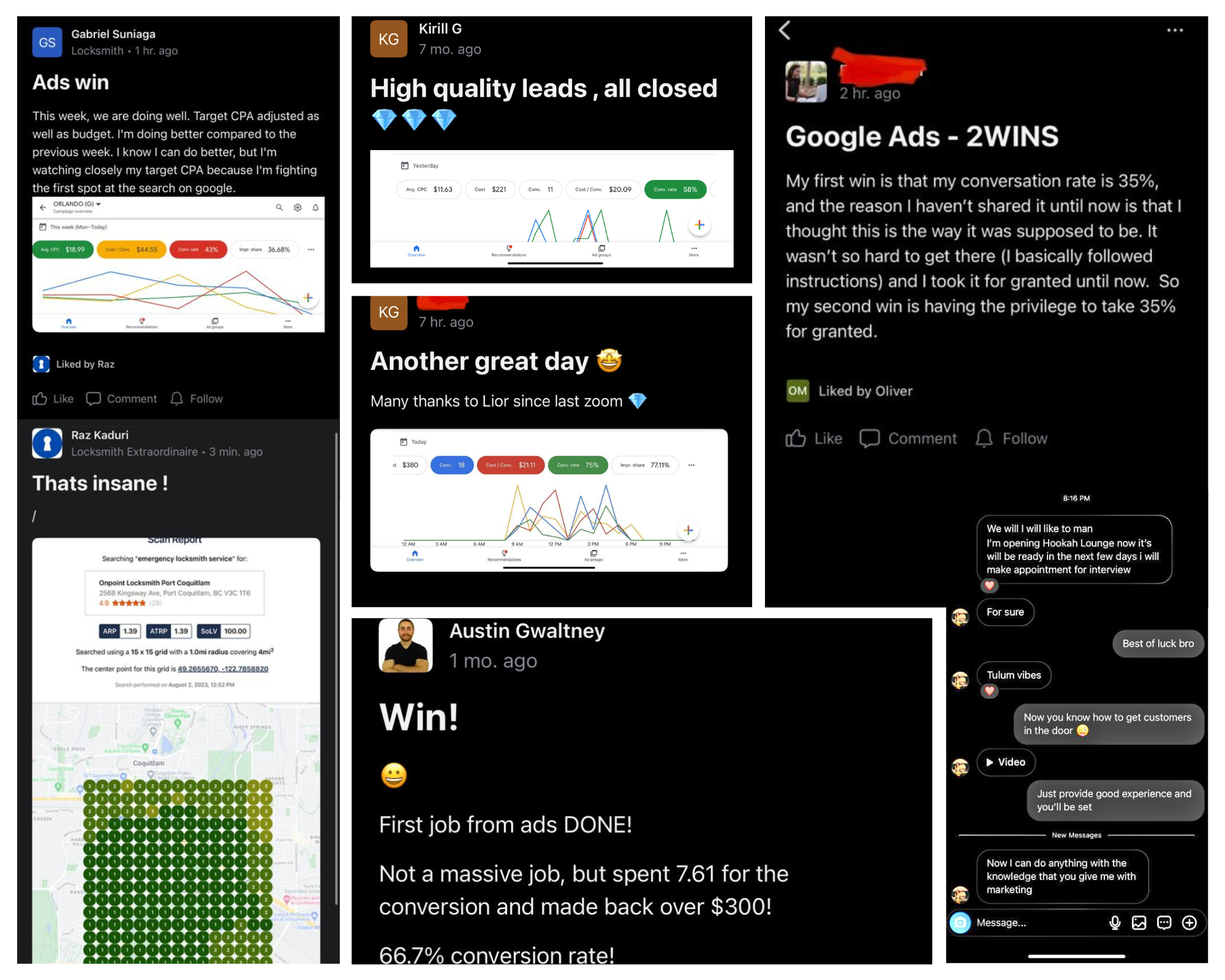
Real client wins and results using LSM
Included in every plan

Your own AI account manager.

Built on 8,600+ real LSM coaching sessions. Trained in Lior's exact voice.

⚡ Powered by LSM AI · Trained on 8,600+ real LSM coaching sessions
🔐

It already knows everything about you

The moment you sign up, your LSM AI knows your plan, your city, your service. No setup call. No briefing a stranger.

🏗️

Builds your entire setup — while you watch

Google Ads. Call tracking. Fraud protection. Your landing page. Built inside your accounts, step by step.

✅

Nothing goes live without your sign-off

Before a single dollar is spent, your AI walks you through everything it built. You approve. Then it goes live.

💬

On call 24/7 — in Lior's exact voice

Ask it anything, anytime. 8,600+ real LSM coaching answers. Available instantly.

► claude
✓ Membership verified — Growth plan · Dallas TX
✓ Client profile loaded — HVAC, 3 cities
Building your Google Ads campaign…
✓ Campaign created (PAUSED for review)
✓ 47 keywords added across 3 ad groups
✓ 3 responsive ads created
Setting up call tracking…
✓ 4 tracking numbers created
✓ Call tracking installed on your site
✓ Competitor click blocking active
Building landing page…
✓ Site backed up · Page builder detected
✓ Landing page live at dallas-hvac.yourdomain.com
Everything looks good. Budget: $75/day · Targeting: Dallas 25mi · Ready to go live?
You: Yes, turn it on.
✓ Campaigns activated. Your phone should start ringing.
Real session · Google Ads + Call Tracking + Landing Page built in one go
Free · 2 minutes · No call required

See what your market can do.

Real estimate — pulled directly from Google's own data. Not a made-up projection. 🎯

No credit card  ·  No call  ·  Results in 30 seconds

If this sounds familiar…

You've been burned before.

🔒

They own your accounts. Not you.

The day you leave an agency, your Google Ads account, tracking numbers, and landing page are gone. You spent $30,000 building their asset.

💸

The reports look great. The phone doesn't ring.

Impressions. Clicks. CTR. Beautiful PDF every month. But when you ask how many jobs you closed — nobody has a straight answer.

🤷

You ask a question. You get an email 48 hours later.

You need answers now. A human account manager you can never reach isn't service — it's a subscription to uncertainty.

Lior Vaknin
Who's behind this

I'm Lior. 15 years making sure you never get locked out of your own marketing again.

I built Local Service Mastery because I watched too many great contractors get burned by agencies — overcharged, locked out, left with nothing. So I flipped the model: your accounts, your data, your asset. We build it. You own it.

500+owners coached
$20M+revenue generated
15+years in the game

Peace,
Lior Vaknin

Good questions

Questions,
answered.

Does this PHP vulnerability affect all WordPress sites?

PHP is the software that powers WordPress, so any WordPress site sitting on a server that hasn’t been patched is potentially exposed. The security fixes are already released – the real question is whether your hosting company has updated PHP on your account. Call them and ask directly.

I updated WordPress and all my plugins. Am I protected?

No – and this is the mistake most business owners will make. The vulnerabilities live in PHP itself, the software WordPress runs on, not in WordPress core or your plugins. Updating everything inside your WordPress dashboard does nothing here. Your hosting company has to update PHP on the server.

How can I check if my website is vulnerable?

Fastest option: contact your hosting company and ask whether PHP has been updated with the latest security fixes. If you want to check it yourself, comment “patch” on the video and I’ll send you the exact prompt to help you check your website and find what needs to be fixed. And if a developer manages your site, send them the video so they can verify it right away.

Who is responsible for fixing this – me, my developer, or my host?

The fix itself happens at the hosting level: your hosting company must update PHP on their server. Your developer can confirm it’s done and check for anything else that needs attention. Your job as the owner is simple – make sure it actually happens instead of assuming someone else handled it.

What can hackers do if they exploit these vulnerabilities?

Under certain conditions, they can access your website without ever knowing your password. From there, they could steal your customer information, redirect your visitors to scam websites, inject spam into your pages, or take control of your entire website.

How serious is a 9.2 out of 10 severity rating?

Serious enough that the NSA issued a public warning. These aren’t routine bugs – they’re classified as critical, and a 9.2 sits near the top of the 10-point severity scale. When a vulnerability scores that high and fixes are already available, there’s no reason to wait.

Which plan should I pick?

Start with Starter if you want to get your phone ringing in one city and grow from there — one new campaign gets added each month. Go with Growth if you're ready to cover your full service area right away. Pro adds local SEO, Facebook Ads, and weekly coaching with me directly. If you're still not sure, run the free audit — it'll tell you what to expect in your market.

How fast will my ads go live?

Most clients are live within 48 hours of completing setup. Your LSM AI builds everything, you review and approve, then it goes live. The only exception is if Google requires advanced verification for your category (locksmith, garage door) — that's a direct process between you and Google, and we walk you through it.

What results can I expect?

Depends on your trade, your city, and your ad budget. The free audit gives you a real estimate pulled directly from Google's own Ads data — not a made-up projection. In a medium-to-large market with a $1,000/month ad budget, most clients get 15–40 qualified calls per month. Run the audit first to see what's realistic in your specific area.

Do I really own everything?

Yes. The Google Ads account, the call tracking numbers, the landing page — all built inside your accounts, in your name. If you ever cancel, you walk away with everything you paid to build. That's not a policy. That's the whole point.

Is there a contract?

No contract, ever. Every plan is month-to-month. Cancel anytime — if we stop earning your business, you should stop paying.

What if I already have my own call tracking or fraud protection?

No problem. You can connect your existing accounts, or we set everything up fresh for you. Your call — you pick during onboarding.

I'm a locksmith or garage door company. Anything I should know?

Yes — Google requires advanced verification for locksmith and garage door services before ads can run. We build your campaign and all your keywords, but you'll need to complete that verification with Google directly (we walk you through it). If for any reason you can't complete it, you're covered by our full 7-day refund.

Do you work with my trade?

We specialize in home and local services — HVAC, plumbing, electrical, roofing, locksmith, garage door, pest control, carpet cleaning, water damage, tree service, and more. Run the free audit and you'll instantly see if we're a fit.

What exactly is my LSM AI account manager?

It's your personal AI marketing manager — trained on 8,600+ real LSM coaching sessions. Sign up and it's ready to go: builds your full campaign setup inside your accounts, reviews everything with you before anything goes live, and stays on 24/7 to answer any question about your campaigns, leads, or marketing strategy. In Lior's exact voice.

What's the 7-day money-back guarantee?

If you sign up and decide within 7 days that this isn't right for you — for any reason — you get a full refund. No hoops. We'd rather lose a bad fit early than keep a client who isn't seeing value.

The bottom line

Don’t Let a Missed Server Update Kill Your Lead Flow

Two critical PHP vulnerabilities. A 9.2 out of 10 severity rating. An NSA warning behind all of it. If your website runs on WordPress, this is your problem until your hosting company confirms PHP has been updated – because no amount of WordPress or plugin updates will patch it.

The bigger lesson goes well past this one fix. Your website is where every lead you pay for ends up. Whether you run your own marketing or hire a home services marketing company to run it for you, nobody protects that asset unless somebody asks the hard questions. One call to your host today is the difference between business as usual and a hijacked site torching the reputation you spent years building.

Inside Local Service Mastery, this is the ownership mindset we drill into every contractor and service business owner we coach: your website, your ads, your data – your responsibility. Make the call. Check the patch. Then share this with a fellow owner before their site becomes the next cautionary tale.

Want this handled for you?

Get a free 30-second marketing audit and see how Local Service Mastery helps you own your lead generation instead of renting it.

Get my free audit →

Stop renting leads.

Check your market, pick your plan, or grab 15 minutes with me. Let's get your phone ringing.

See what your market can do

Your trade