LSM Video · Google Ads Policy

Why Your Google Ads Aren’t Showing (The Policy Nobody Talks About)

  • If your ad isn’t showing, nothing is broken — you’re losing the auction to a higher ad rank.
  • Google won’t show two ads pointing to similar landing pages at the same time — it picks one winner.
  • No error. No warning. No glitch. The losing ad just doesn’t show.
  • Calling support, flipping settings, stacking negative keywords? You’re fixing the wrong thing.
  • The real fix: quality score, landing page relevance, bid strategy — and competing where you can actually win.
See the real fix →

Watch the full video, then read the breakdown below.

You check the dashboard. Campaign active. Budget loaded. Keywords in place. Then you search your own service, in your own city, on your own phone — and your ad is nowhere. So you do what every contractor does. You assume something is broken.

Here’s where that’s wrong. There is a policy inside Google Ads that almost nobody talks about, and it explains most of the “my ad disappeared” panic I see from service business owners: Google will not show two ads pointing to similar landing pages at the same time. If you and a competitor are both bidding on the same term, Google picks one — the one with the higher ad rank. The other one just doesn’t show.

Nothing is broken. You’re just losing the auction to someone with a higher ad rank. That is a completely different problem, with a completely different fix — and mixing the two up is where contractors burn weeks and real money.

The Policy Almost Nobody Talks About

Think about what happens when a homeowner searches for your trade in your city. You’re bidding on that term. So is the shop across town. If both of your ads point to similar landing pages — and in the trades, most service pages look very similar — Google is not going to show both of you.

It picks a winner. The ad with the higher ad rank gets the impression. The other ad sits out that auction. No error message. No warning in your account. No notification that says “hey, you just got outranked.” From your side, it looks like your ad vanished. From Google’s side, the system worked exactly as designed.

Your ad isn’t hiding from you. It’s getting outranked by a competitor with a stronger bid or a better quality score.

Why “Nothing Is Broken” Is Actually Good News

A glitch is out of your hands. If Google were randomly hiding your ads, you’d be stuck waiting on a support ticket and hoping someone fixes it. An auction loss is different. An auction is a competition — and competitions can be won.

Once you know the real problem, every lever you need is sitting in front of you: your quality score, your landing page relevance, your bid strategy. You can’t “fix” a glitch, but you can absolutely raise your ad rank. That’s why getting the diagnosis right matters more than any single tweak you’ll ever make in the dashboard. Diagnose it as a technical problem and you’ll spend a month chasing ghosts. Diagnose it as an auction problem and you can start moving this week.

The Wrong Fixes That Waste Your Time

When you believe the problem is technical, you reach for technical solutions. And every one of them misses.

Calling Google support

Support can tell you whether your campaign is eligible to serve. It cannot make you win auctions. If the issue is ad rank, your campaign is technically “working” — you’re just not showing because someone else is beating you. You’ll hang up the phone with the same problem you started with, minus an hour of your day.

Messing with campaign settings

Contractors start flipping switches — schedules, networks, locations, anything that looks suspicious — hoping one of them makes the ad reappear. But the settings were never the issue. Now you’ve added new variables on top of the real one, and you’re even further from a clean diagnosis than when you started.

Adding negative keywords that don’t need to be there

This is the most dangerous one. Negative keywords tell Google when not to show your ad. If you’re already losing auctions, stacking on unnecessary negatives chokes your reach even further. You’re “fixing” a visibility problem by reducing visibility. That’s how a small auction problem turns into a real traffic problem.

The Fix That Actually Works

If your ad keeps disappearing, treat it like what it is: an auction you’re losing. Here’s where to put your energy instead — the same framework we use when we handle Google Ads management for contractors who come to us with “broken” campaigns that aren’t broken at all.

Work on your quality score

Quality score is Google’s grade on how useful your ad is for the search. A stronger quality score raises your ad rank without you having to outspend anyone. This is where most contractors have the most room to move — and it’s the lever your bigger-budget competitor hopes you never touch.

Tighten your landing page relevance

Remember the policy: similar landing pages are what trigger the showdown in the first place. A landing page that is tightly relevant to the search term doesn’t just help you win the auction — it helps you convert the click once you do. Relevance is doing double duty here.

Get honest about your bid strategy

Sometimes the answer really is that simple: a competitor with a stronger bid is taking the impression. You don’t always have to match their spend, but you do have to understand where your bids put you in the pecking order — and adjust deliberately instead of blindly.

Compete where you can actually win

You don’t have to win every auction in your market. You have to win the right ones. Shift your focus to the terms where your ad rank is competitive, and stop bleeding budget into auctions a stronger player owns. Winning somewhere beats losing everywhere.

And if you’d rather not guess which lever to pull first, that’s the work we do at Local Service Mastery — real diagnosis first, then the fix that actually matches the problem.

Know What “Working” Should Actually Look Like

One more thing. Half the battle in judging a disappearing ad is knowing what your campaigns should be producing in the first place. That’s why I built a free calculator that tells you how many leads you should expect for your service, in your city, right now — so you’re comparing your results to a real number instead of a gut feeling. Comment on the video and I’ll send you the link.

The short version: If your ad keeps disappearing, don’t debug — compete. Quality score, landing page relevance, bid strategy, and winnable auctions. That’s the whole game.

Real owners · Real results

Don't take my word for it.

See it in action

How LSM AI Works

Month-to-month · No contracts · Cancel anytime

Pick your plan.

Everything built inside your accounts. Owned by you.

Starter
$1,000/mo
Pro
$3,500/mo
Enterprise
Custom
Book a call
Included in every plan
Google Ads campaign built for you
High-converting landing page
Call tracking setup
Competitor click blocking
Daily AI optimization & negative keywords
Monthly performance report
LSM AI manager — 24/7 Q&A on your account
Campaigns & coverage
New campaigns per month1/moUnlimitedUnlimited
Cities coveredStart with 1Full areaFull area
Campaign duplication
Support & extras
SupportStandardLiveDedicated
Local SEO management
Facebook / Meta Ads management
ChatGPT Ads management
Full LSM training access
Weekly group coaching with Lior
Personal 1-on-1 onboarding call
Two 1-on-1 calls a month with Lior
White-label & custom solutions
Book a call
$1,000/mo
  • Included in every plan
  • Google Ads campaign built for you
  • High-converting landing page
  • Call tracking setup
  • Competitor click blocking
  • Daily AI optimization
  • Monthly performance report
  • LSM AI manager 24/7
  • Campaigns
  • 1 new campaign per month
  • Start with 1 city
  • Campaign duplication
  • Support
  • Standard support
Still got questions?

15 minutes with me. No pitch.

Not sure which plan fits your market? Book a free 15-minute call. I'll tell you honestly if I can help — and if I can't, I'll tell you that too.

— Lior

Free · Real Google data · 60 seconds

How many calls can your market get?

Real numbers — pulled straight from Google Ads. Not an agency pitch. 🎯

$ /mo

No credit card  ·  No commitment  ·  We verify your details before showing results

The honest truth

Agency vs. owning it.

The agency model
  • $2,000–$5,000/month in fees just to manage your account
  • They own your Google Ads account — you start from zero when you leave
  • Random results. No explanation of why.
  • Zero visibility into what they're actually doing
The LSM way
  • Costs less than one missed job
  • Your Google Ads account. Your campaigns. Your data — always.
  • AI manages it daily. Full transparency — you see every decision.
  • Cancel anytime. Your campaigns stay yours forever.
The LSM way

How it works.

The opposite of an agency. We build it inside your accounts. You own it all.

1

Pick your plan

One city or your whole service area. The free audit tells you exactly what to expect in your market.

2

Your LSM AI builds everything

Your AI marketing manager builds your Google Ads, call tracking, fraud protection, and landing page — inside your accounts. You approve before a single dollar is spent.

3

Your phone starts ringing

Most clients are live within 48 hours. Your AI optimizes bids and keywords daily — results compound over time.

Google Ads campaign (your account) Call tracking setup Competitor click blocking High-converting landing page Daily bid & keyword optimization Monthly performance report You own every account, always Personal LSM AI manager 24/7 Q&A in Lior's voice 7-day money-back guarantee
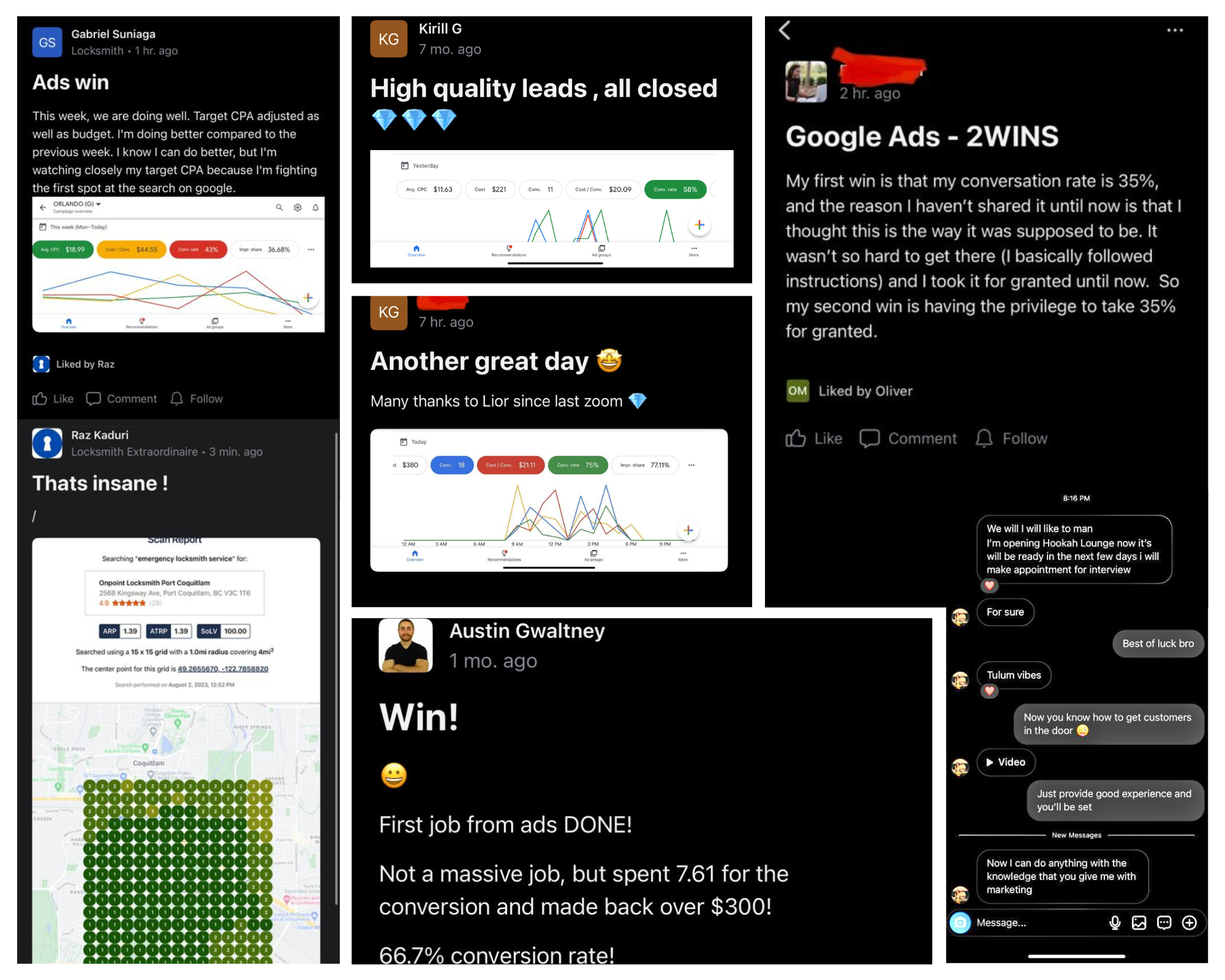
Real client wins and results using LSM
Included in every plan

Your own AI account manager.

Built on 8,600+ real LSM coaching sessions. Trained in Lior's exact voice.

⚡ Powered by LSM AI · Trained on 8,600+ real LSM coaching sessions
🔐

It already knows everything about you

The moment you sign up, your LSM AI knows your plan, your city, your service. No setup call. No briefing a stranger.

🏗️

Builds your entire setup — while you watch

Google Ads. Call tracking. Fraud protection. Your landing page. Built inside your accounts, step by step.

Nothing goes live without your sign-off

Before a single dollar is spent, your AI walks you through everything it built. You approve. Then it goes live.

💬

On call 24/7 — in Lior's exact voice

Ask it anything, anytime. 8,600+ real LSM coaching answers. Available instantly.

claude
Membership verified — Growth plan · Dallas TX
Client profile loaded — HVAC, 3 cities
Building your Google Ads campaign…
Campaign created (PAUSED for review)
47 keywords added across 3 ad groups
3 responsive ads created
Setting up call tracking…
4 tracking numbers created
Call tracking installed on your site
Competitor click blocking active
Building landing page…
Site backed up · Page builder detected
Landing page live at dallas-hvac.yourdomain.com
Everything looks good. Budget: $75/day · Targeting: Dallas 25mi · Ready to go live?
You: Yes, turn it on.
Campaigns activated. Your phone should start ringing.
Real session · Google Ads + Call Tracking + Landing Page built in one go
Free · 2 minutes · No call required

See what your market can do.

Real estimate — pulled directly from Google's own data. Not a made-up projection. 🎯

No credit card  ·  No call  ·  Results in 30 seconds

If this sounds familiar…

You've been burned before.

🔒

They own your accounts. Not you.

The day you leave an agency, your Google Ads account, tracking numbers, and landing page are gone. You spent $30,000 building their asset.

💸

The reports look great. The phone doesn't ring.

Impressions. Clicks. CTR. Beautiful PDF every month. But when you ask how many jobs you closed — nobody has a straight answer.

🤷

You ask a question. You get an email 48 hours later.

You need answers now. A human account manager you can never reach isn't service — it's a subscription to uncertainty.

Lior Vaknin
Who's behind this

I'm Lior. 15 years making sure you never get locked out of your own marketing again.

I built Local Service Mastery because I watched too many great contractors get burned by agencies — overcharged, locked out, left with nothing. So I flipped the model: your accounts, your data, your asset. We build it. You own it.

500+owners coached
$20M+revenue generated
15+years in the game

Peace,
Lior Vaknin

Good questions

Questions,
answered.

Why is my Google ad not showing even though my campaign is active?

Active doesn’t mean winning. Google won’t show two ads pointing to similar landing pages at the same time, so if a competitor is bidding on the same term with a higher ad rank, Google shows their ad and yours simply doesn’t appear. Nothing is broken in your account — you lost that auction. Confirm which problem you have before touching a single setting.

What is ad rank, and why does it decide whether my ad shows?

Ad rank is what Google uses to pick a winner when multiple advertisers compete on the same term. It’s driven by things like your bid and your quality score. When two ads point to similar landing pages, the higher ad rank gets the impression and the lower one doesn’t show at all. Raising your ad rank — not tweaking random settings — is how you get back on the page.

Should I call Google support if my ad keeps disappearing?

Only after you’ve ruled out an auction loss. Support can confirm whether your campaign is eligible to serve, but it can’t make you win auctions. If the cause is a competitor outranking you, your campaign is technically “working” — and you’ll hang up with the same problem you started with. That time is better spent on quality score, landing page relevance, and bid strategy.

Can adding negative keywords hurt a campaign that’s already not showing?

Yes — it’s one of the most common mistakes. Negative keywords tell Google when not to show your ad. If your visibility problem is actually lost auctions, piling on negatives that don’t need to be there restricts your reach even more. You’re fixing a problem that doesn’t exist while making the real one worse.

How do I beat a competitor who keeps outranking me on my keywords?

Pull the three levers that raise ad rank: improve your quality score, tighten your landing page relevance, and get deliberate about your bid strategy. And be smart about where you fight — shift budget toward the terms where your ad rank is competitive instead of bleeding money into auctions a stronger player owns. Compete where you can actually win.

How do I know how many leads my Google Ads should be generating?

It depends on your service and your city — which is exactly why Lior built a free calculator that tells you how many leads you should expect for your trade in your market right now. Run the number first, then judge your campaign against it instead of guessing. Comment on the video and he’ll send you the link.

Which plan should I pick?

Start with Starter if you want to get your phone ringing in one city and grow from there — one new campaign gets added each month. Go with Growth if you're ready to cover your full service area right away. Pro adds local SEO, Facebook Ads, and weekly coaching with me directly. If you're still not sure, run the free audit — it'll tell you what to expect in your market.

How fast will my ads go live?

Most clients are live within 48 hours of completing setup. Your LSM AI builds everything, you review and approve, then it goes live. The only exception is if Google requires advanced verification for your category (locksmith, garage door) — that's a direct process between you and Google, and we walk you through it.

What results can I expect?

Depends on your trade, your city, and your ad budget. The free audit gives you a real estimate pulled directly from Google's own Ads data — not a made-up projection. In a medium-to-large market with a $1,000/month ad budget, most clients get 15–40 qualified calls per month. Run the audit first to see what's realistic in your specific area.

Do I really own everything?

Yes. The Google Ads account, the call tracking numbers, the landing page — all built inside your accounts, in your name. If you ever cancel, you walk away with everything you paid to build. That's not a policy. That's the whole point.

Is there a contract?

No contract, ever. Every plan is month-to-month. Cancel anytime — if we stop earning your business, you should stop paying.

What if I already have my own call tracking or fraud protection?

No problem. You can connect your existing accounts, or we set everything up fresh for you. Your call — you pick during onboarding.

I'm a locksmith or garage door company. Anything I should know?

Yes — Google requires advanced verification for locksmith and garage door services before ads can run. We build your campaign and all your keywords, but you'll need to complete that verification with Google directly (we walk you through it). If for any reason you can't complete it, you're covered by our full 7-day refund.

Do you work with my trade?

We specialize in home and local services — HVAC, plumbing, electrical, roofing, locksmith, garage door, pest control, carpet cleaning, water damage, tree service, and more. Run the free audit and you'll instantly see if we're a fit.

What exactly is my LSM AI account manager?

It's your personal AI marketing manager — trained on 8,600+ real LSM coaching sessions. Sign up and it's ready to go: builds your full campaign setup inside your accounts, reviews everything with you before anything goes live, and stays on 24/7 to answer any question about your campaigns, leads, or marketing strategy. In Lior's exact voice.

What's the 7-day money-back guarantee?

If you sign up and decide within 7 days that this isn't right for you — for any reason — you get a full refund. No hoops. We'd rather lose a bad fit early than keep a client who isn't seeing value.

The bottom line

Stop Fixing a Glitch That Doesn’t Exist

If your Google Ads aren’t showing, the odds are good that nothing is broken. Google won’t run two ads pointing to similar landing pages at the same time — so when you and a competitor chase the same term, the higher ad rank gets the impression and the other ad quietly sits out. No warning. No error. No glitch.

That means support tickets, random settings changes, and piles of negative keywords are all fixes for a problem you don’t have. The real fix is raising your ad rank: a better quality score, tighter landing page relevance, a deliberate bid strategy, and fighting in auctions you can actually win.

At Local Service Mastery, that’s exactly where we’d start — diagnose whether you’re dealing with an auction loss or a genuine technical issue, then rebuild the levers that decide who shows. And before you judge your results at all, run the free calculator to see how many leads you should expect for your service in your city. Real numbers first. Then the right fix. No fluff.

Want this handled for you?

Get a free 30-second marketing audit and see how Local Service Mastery helps you own your lead generation instead of renting it.

Get my free audit →

Stop renting leads.

Check your market, pick your plan, or grab 15 minutes with me. Let's get your phone ringing.

See what your market can do

Your trade